Arakan Ledger · Clients' FTA compliance
Client paperwork in. The VAT return, the books and Corporate Tax out.
Clients' invoices and receipts — scans, PDFs, photos, WhatsApp — read, sorted into ledgers and checked against VAT and Corporate Tax rules before filing.
For: Accounting and bookkeeping firms
No card needed. One account works across every Arakan app.
What Ledger does
Clients' FTA compliance
Every format
Phone photos, scanned bundles, folders, spreadsheets, WhatsApp, email and a client portal. Large scans are split into the documents inside them.
Checks that cite the law
Every line is tested against UAE tax rules, and each flag names the Lexara article it comes from. Anything uncertain waits for a person.
Reconciled, not just read
Bank statements matched to documents, supplier statements to bills, receivables aged, customs declarations matched to sales.
The VAT return
Form 201 box by box with emirates split, through review and approval; the period locks once it is filed.
Books in the client's own software
Every line coded to an account, and files ready to import into the client's Zoho Books, Xero, QuickBooks or Wafeq.
Corporate Tax and refunds
Add-backs carried into the Corporate Tax computation, refund positions with their deadlines, and filed returns checked against the ledger.
How it works
- 1
Add your clients
Each client with its TRN and licence, so documents are recognised as theirs.
- 2
Send in the paperwork
Drop a batch, or let clients send it on WhatsApp. You see the page count before reading starts.
- 3
Review and file
Clear the flags, approve the return, and the period locks.
See it at work
Ledger, recorded in the product.
Short walkthroughs on realistic demo data, one feature per chapter.
 Full demo
Arakan Ledger — product demo
From a client's pile of papers to a checked, ready-to-file VAT return
10 min

Every payment, matched to its bill
A quarter's bank statement for Al Noor Building Materials, read line by line, each payment paired with its bill, salaries and duty marked as needing no document, balances agreeing, and the whole thing downloadable to Excel.
1 min
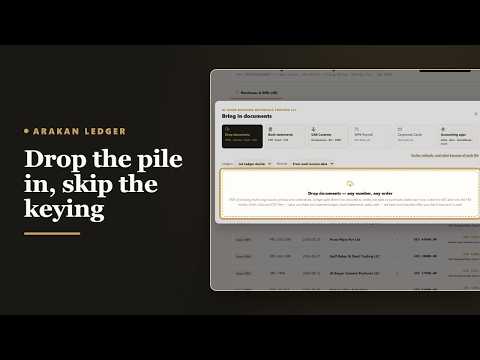
Drop the pile in, skip the keying
Scans, photos and PDFs go into one window; Ledger sorts them, reads every line and files each to the right ledger.
1 min

Prove the zero rate before you file
Al Noor's export declarations and bills of lading are linked to the sales they support, Trade checks shows which zero-rated sales still lack evidence, and the client's import declarations are checked against the FTA's own list.
2 min
Learn the rules first
What the law asks, before the software.
Explainer series narrated over diagrams, with the article behind every claim. No product on screen. Each video is about two minutes and starts the next.
VAT, explained
For: Owners, finance leads and bookkeepers of UAE businesses, and the accounting firms that file for them: when to register, what a tax invoice must carry, the rates, imports, what input tax can be recovered, the return by the 28th, and the records.
8 videos · about 15 min in all
Corporate tax, explained
For: Owners, finance leads and accountants of UAE companies, mainland and free zone: who is taxed, at what rate, how taxable income is worked out, the reliefs that exist and what they cost, and the nine-month deadline.
6 videos · about 12 min in all
Questions
Where else can documents come from?
A client portal in your firm's name, a forwarding email address, folder drops, spreadsheets, bank statements, and read-only connections to Zoho Books, Xero, QuickBooks, Wafeq and Odoo.
Does Ledger file with the FTA?
Ledger prepares and checks the figures. Your firm reviews, approves and files.
Can we keep clients' books in their own Zoho or Xero?
Yes. Ledger codes each line to the client's own accounts and produces files you import into Zoho Books, Xero, QuickBooks or Wafeq. It never writes to the client's system.
Works with
For firms serving clients. The apps share your companies, documents and rules, so nothing is entered twice.